Shown with a sample firm.
The what-if planner
Try a decision on your own numbers before you make it.
A hire or a price change is a big decision. Change one thing and see what it does to the month, on your own numbers, before you commit.
Try it
Profit before tax, a month
£7,000
The month as it is now
- Work a month£110,000
- Gross profit£22,000
- Overheads£15,000
A guide, not a forecast.
A what-if of your own
The planner starts with installs, prices and a hire. You can add your own: ask a what-if in your own words, and Ask works it through on your own jobs, then adds it to the planner as a new switch.
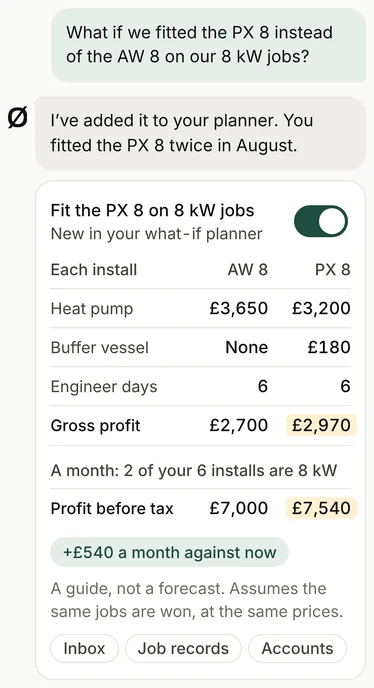
For example
Mark asks: "What if we fitted the PX 8 instead of the AW 8 on our 8 kW jobs?" Ask takes the kit prices from the merchant's invoices and the engineer days from the job records, works out the gross profit per install for each, and shows the sums line by line. Then it adds the swap to the planner as a new switch, so Mark can see what it does to the month, and try it alongside a hire or a price change.
You could also ask: "What if we stopped doing landlord certificates?" or "What if boiler swaps took half a day less?"
Each one is worked from your own figures and shows its working. Like the planner, it's a guide, not a forecast.
How it works
-
Step 1
It starts from your real month.
The work, the gross profit and the overheads, from your accounts.
-
Step 2
Change one thing.
Installs a month, your prices, or another engineer.
-
Step 3
See what it does to the month.
Before you commit to anything.
What it reads
Your accounts: this month's work, gross profit and overheads.
Your job software: how many installs you do a month, and the days each one takes.
Your inbox: the merchant's invoices, for what the kit costs.
It starts from your real month. You change one thing, and it shows the sums.
Questions
Is it a forecast?
No. It's a guide on your own numbers. It shows what changes if one thing changes, and assumes everything else stays the same.
See the other parts
-
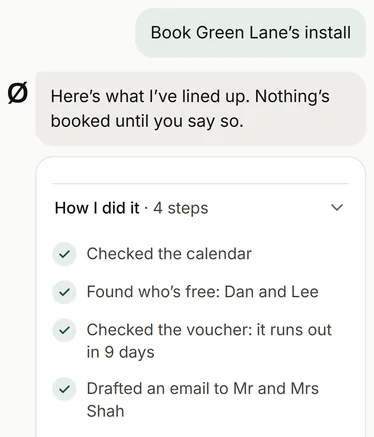
Ask your firm
Your team asks it about any job, customer or invoice, or to get something done, like booking an install. Anything it drafts waits for your OK.
-
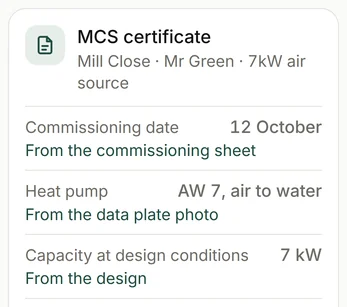
The paperwork filled in, for your office to check and send
From the quote and contract to the certificates and handover pack, on heat pump, boiler, solar and battery jobs, filled in from the job's own details.
-
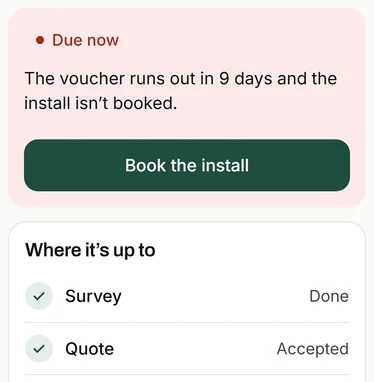
Every job's deadlines
From survey to paid, every job's deadlines in one place, with a heads-up before each one's due.
-
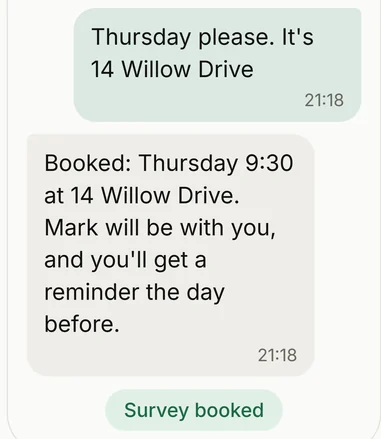
Enquiries answered, and surveys checked first
Enquiries get the right questions and a rough price before anyone drives out. A good fit gets a survey, and the rest get a phone call.
-
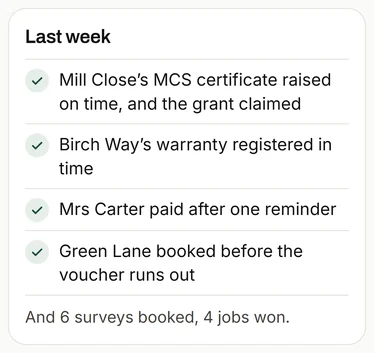
The Monday message
One short note every Monday: what got done, what's coming up, and one thing worth doing.
-
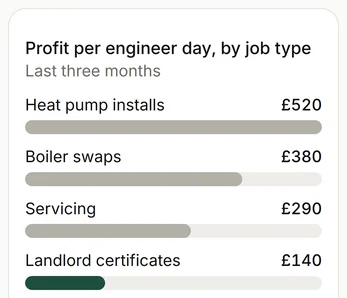
What each job made
Every job set against the engineer days it took, so you can see which work pays.
Get in touch
To see how it would work for you, email or call. It starts with a conversation about how your firm works, and what takes up your time.
Or reply to the message this link came in.